Complete information about configuring the Now Book It widget can be obtained from Now Book It.
Refer to the Now Book It Knowledge Base at https://kb.nowbookit.com/knowledge
Or refer to their Support page at https://www.nowbookit.com/support
The below information is supplied as a starting point on where to find the options on the Now Book It site to configure the Now Book It Widget.
Once the Widget is configured and code snippet extracted, it will need to be incorporated into the venue's website by the venue's website developer or website maintenance person/team.
The Now Book It Widget can be configured and code snippet extracted from the Now Book It website.
The code widget can then be incorporated into the venue's website so that patrons can make their own reservations.
Go to: https://admin.nowbookit.com and login using the credentials supplied by Now Book It.
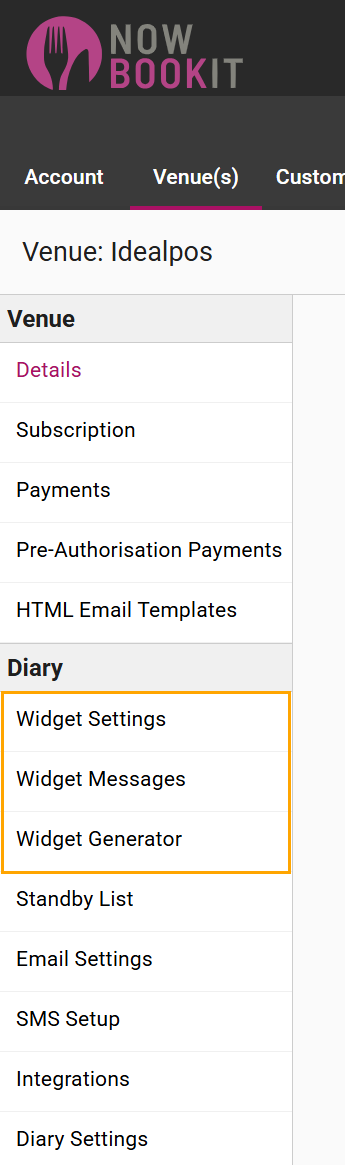
On the left-hand side of the page under the "Diary" section, refer to the following pages:
It is recommended that the options on the other available pages are customised as required to achieve the desired behaviour.
Refer to Now Book It for further details.